




Social posts for this article
Not provided.
The short answer
Yes, but not with the setting most people try first.Apple's High Heart Rate notification only fires when your heart rate stays above your chosen number after you have been inactive for at least 10 minutes, so it says nothing while you are moving, which is when pacing needs it. Instead, set a heart rate alert for a workout in the Workout app, with your pacing number as the top of a custom range, and start that workout when you want to be warned. The watch then taps you each time you cross the line, but only while the workout runs. Garmin watches split the same way: abnormal heart rate alerts after inactivity, heart rate alerts during an activity. Wrist readings are less accurate during movement, so treat a few seconds over the line as noise and a few minutes as a signal.
If you pace with a heart rate limit, the obvious move is to set your Apple Watch’s High Heart Rate notification to that number and let it warn you. Then you stand at the stove for twenty minutes, feel your heart pounding, and the watch says nothing. An Apple Watch can alert you when you go over your pacing heart rate, but only during a workout. The built-in High Heart Rate notification only checks after you have been still for about 10 minutes, so it stays quiet while you move. For a tap on the wrist as you cross your line, set a heart rate alert in the Workout app and keep a workout running. Here is why, how to set it up, and what a wrist alert can and can’t tell you.
Why doesn’t the high heart rate notification go off when you’re moving?
Because it is built to catch something else. Apple says the watch can notify you if your heart rate stays above or below a threshold you choose “after you’ve been inactive for at least 10 minutes” (Apple, Monitor your heart health). It is looking for a fast heart at rest, which can be a sign of a heart problem worth checking. It is not trying to tell you that walking upstairs pushed you over your line.
For pacing, that is the wrong way round. The moments you most want a warning are the ones the watch counts as activity: showering, carrying laundry, cooking, a trip to the shops. Two more limits are worth knowing. The notification is switched off completely in Low Power Mode (Apple, Heart health notifications), and if you turn on Low Power Mode for workouts, heart rate notifications stop during workouts too (Apple, Start a workout).
With POTS the notification can also fire in a way that looks random, because standing still in a queue can keep your heart rate high while the watch counts you as inactive. Can an Apple Watch detect POTS? covers what those alerts do and don’t mean.
How do you set a pacing alert on an Apple Watch?
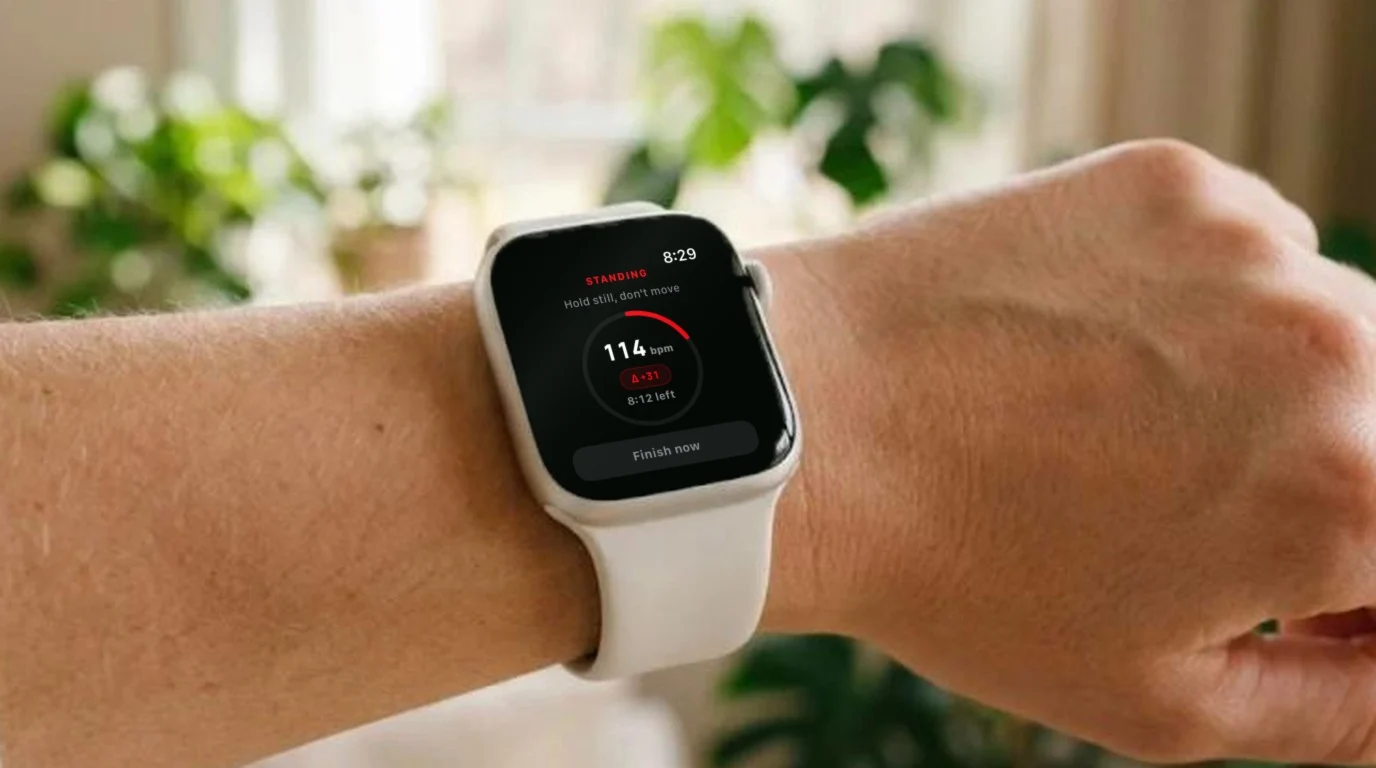
The alert you want lives in the Workout app. During a workout, the watch can tap your wrist each time your heart rate leaves a range you set. The steps vary a little between watchOS versions, but the path is roughly this (Brockbank, 2026):
- Open the Workout app and scroll to a gentle workout type, such as Indoor Walk or Other.
- Tap the More button (the three dots) on that workout, then its preferences or edit screen.
- Tap Alerts, then Heart Rate, and choose a custom range. Set the top to your pacing number and the bottom low enough that you never hit it.
- Start that workout whenever you want to be warned. The watch taps you and shows “Above Zone” when you cross the top.
The setting stays saved for that workout type. If you would rather use zones, you can set Apple’s Heart Rate Zones by hand under Settings, Workout, Heart Rate Zones, and enter your own lower and upper limits for zones 2 to 4 (Apple, View Heart Rate Zones). Custom workouts can also carry a heart rate alert on their warmup, or on an open-ended cooldown (Apple, Create a Custom Workout).
If you don’t have a number yet, what heart rate to stay under when pacing explains where the common formulas come from and has a calculator.
What about Garmin and other watches?
Garmin splits it the same way. Its abnormal heart rate alert warns you above or below a number you choose, but only “after a period of inactivity” (Garmin, Venu manual). The alert that suits pacing sits in an activity’s settings: under Alerts, HR Alert, you can pick a heart rate zone or custom values, and the watch vibrates each time you go above or below (Garmin, vívosmart 3 manual). Like Apple’s, it only works while you are recording that activity.
| Alert | When it checks | Useful for pacing? |
|---|---|---|
| Apple High Heart Rate notification | After about 10 minutes of inactivity; off in Low Power Mode | No, it is quiet while you move |
| Apple Workout app heart rate alert | Only while a workout is running | Yes, taps you as you cross your line |
| Garmin abnormal heart rate alert | After a period of inactivity | No, same as Apple’s |
| Garmin activity HR alert | Only while recording an activity | Yes, same as Apple’s workout alert |
The Workwell Foundation, which runs two-day exercise testing for ME/CFS, says most heart rate monitors can set an alarm, and that setting one can help you stay inside your energy envelope (Workwell Foundation, 2024).
How accurate is a wrist heart rate when you’re moving?
Less accurate than at rest, which matters because movement is exactly when a pacing alert fires. A Duke University study tested consumer and research wearables against a chest ECG across rest, activity and other tasks. It found that absolute heart rate error was, on average, 30% higher during activity than at rest. The devices were all reasonably accurate at rest and during prolonged elevated heart rate, but differed in how well they kept up with changes in activity (Bent et al., 2020).
In practice that means a watch can lag behind a sudden effort like climbing stairs, and can briefly misread when your arm swings or your wrist flexes. Workwell notes that optical sensors on sports watches are less accurate than a chest strap and recommends a chest strap for pacing. If you want to go that way, our chest strap comparison covers two common options, and both can feed an Apple Watch or phone.
What does an alert tell you, and what doesn’t it?
An alert tells you that right now your heart rate is above your number. That is useful, and it is the moment to stop. Workwell’s guidance is to avoid spending more than about two minutes above your threshold where you can, and when the alarm goes off, to stop and rest until your heart rate is back within ten beats of your resting rate (Workwell Foundation, 2024).
What a buzz can’t tell you is how the day is adding up. A string of short crossings and one long stretch feel the same on the wrist, but they are not the same load. Workwell also points out that thinking and emotional effort use energy without moving heart rate much, so a quiet watch is not a promise that a day was safe. And because post-exertional malaise often arrives a day or two later, the real test of your number is how you feel afterwards. Why you feel worse the day after a good day explains that delay.
How Autonomic helps with heart rate pacing
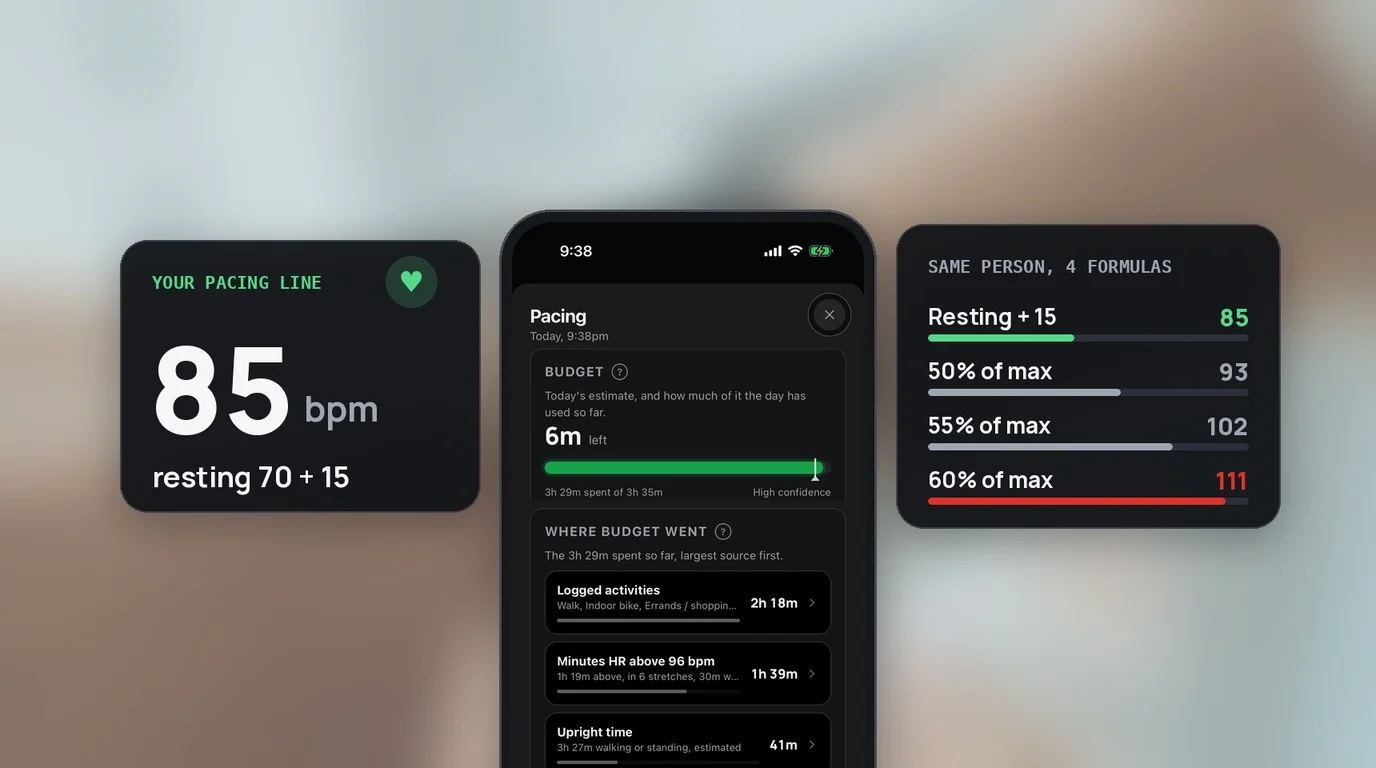
Autonomic reads the heart rate already flowing into Apple Health or Health Connect, so it works without a workout running. It counts the minutes your heart rate spends above your own line and charges them to a daily pacing budget, alongside steps and time on your feet. With pacing alerts on, it can tell you when your heart rate has stayed above your line for a stretch, and it names the number, for example “above 95 bpm for 28m”. There are at most three alerts a day, never before you wake. Then it checks the next two days for a crash, so your line gets tested against what actually happened. The pacing budget explains how it all fits together.
A workout alert and Autonomic do different jobs, and they work well together: the watch taps you in the moment, and Autonomic keeps the running total.
The bottom line
An Apple Watch can alert you when you go over your pacing heart rate, but not with the High Heart Rate notification, which only checks after about 10 minutes of inactivity. Set a heart rate alert with a custom range in the Workout app and start that workout when you want to be warned. It only works while the workout runs, it costs battery, and wrist readings are less reliable while you move. Garmin works the same way. Treat a few seconds over your line as noise and a few minutes as a signal, and judge your number by how you feel over the next two days.
Sources
- Apple. Monitor your heart health on Apple Watch. Apple Watch User Guide, 2026.
- Apple. Heart health notifications on your Apple Watch. Apple Support, 2026.
- Apple. Start a workout on Apple Watch. Apple Watch User Guide, 2026.
- Apple. View Heart Rate Zones on Apple Watch. Apple Watch User Guide, 2026.
- Apple. Create a Custom Workout on Apple Watch. Apple Watch User Guide, 2026.
- Brockbank J. How to set (or turn off) Apple Watch heart rate zone alerts during a workout. Running for Views, 2026.
- Garmin. Setting an abnormal heart rate alert. Venu owner’s manual.
- Garmin. Setting your heart rate alerts. vívosmart 3 owner’s manual.
- Christian C. Pacing with a heart rate monitor to minimize post-exertional malaise (PEM) in ME/CFS and long COVID. Workwell Foundation, 2024.
- Bent B, Goldstein BA, Kibbe WA, Dunn JP. Investigating sources of inaccuracy in wearable optical heart rate sensors. npj Digital Medicine, 2020.
Questions people also ask about this
Why didn't my Apple Watch high heart rate notification go off when I was walking?+
Because it is not designed to. Apple says the High Heart Rate notification fires when your heart rate stays above your chosen threshold after you have been inactive for at least 10 minutes. While you walk, cook or climb stairs, the watch sees you as active and stays quiet. It also does not work at all in Low Power Mode.
How do I set a heart rate alert for pacing on an Apple Watch?+
Use the Workout app. Pick a workout such as Indoor Walk or Other, tap the More button on it, open its preferences or edit screen, then go to Alerts and Heart Rate and set a custom range with your pacing number as the top. Start that workout whenever you want the watch to tap you as you cross the line. The alert only works while the workout is running.
Can I keep a workout running all day just for the alert?+
Some people do, but it has costs. The workout keeps measuring heart rate continuously, which uses more battery, and the whole session counts toward your Activity rings as exercise. Many people start a workout only for the parts of the day that tend to push them over, such as showering, errands or cooking.
Do Garmin watches have a pacing heart rate alert?+
Garmin splits it the same way Apple does. Its abnormal heart rate alert only fires after a period of inactivity. Its heart rate alert, set under an activity's alerts, can warn you above a zone or a custom value, but only while you are recording that activity.
Is a wrist heart rate accurate enough for pacing?+
It is reasonable at rest and during steady effort, and less so while you move. A Duke University study found wearables' absolute heart rate error was on average 30% higher during activity than at rest, and that devices differed most when activity changed. The Workwell Foundation recommends a chest strap for heart rate pacing for this reason.
Written by
Austin Spaeth
Austin builds Autonomic, a private, offline journal for tracking autonomic recovery. He writes about HRV, POTS, dysautonomia and post-viral illness for the people living it, turning messy day-to-day data into signals you can actually act on.